The problem
Agents are fast. Knowing which one is waiting on me is not.
Each session works on its own and stops when it needs me: a question, a merge into production, a manual test, a password only I can type. With fifteen of them going, the job isn't writing code anymore. It's knowing which session is waiting, on what, and whether that's still true. Often I'm on my phone when I need to know.
Before the cockpit, the same things kept going wrong:
- An ask got lost in a long chat, or I answered a question that had already been settled an hour earlier.
- A code-review bot posted findings after the session had already said “ready”.
- A pull request was merged but not deployed, so the test I was asked to run couldn't work yet.
- The next step only worked in my Mac's terminal, and I was out with my phone.
What I built
A dashboard that answers one question, and an agent that watches it
The cockpit
A small Node server on my Mac with no third-party dependencies, reachable from my phone behind a sign-in only I can pass. It reads every agent session's transcript and status, plus GitHub: pull requests, checks, review bots and deploys. Then it answers one question: what needs me right now?
The Dispatcher
A long-running agent whose only job is the other agents. It reads the same list, checks each item against GitHub, and notifies me only when something new needs me. When I answer, it carries my exact words to the right session. It routes rather than instructs, always links the chat, and never answers for me.
How it works
Four views, one idea: show only what's true right now
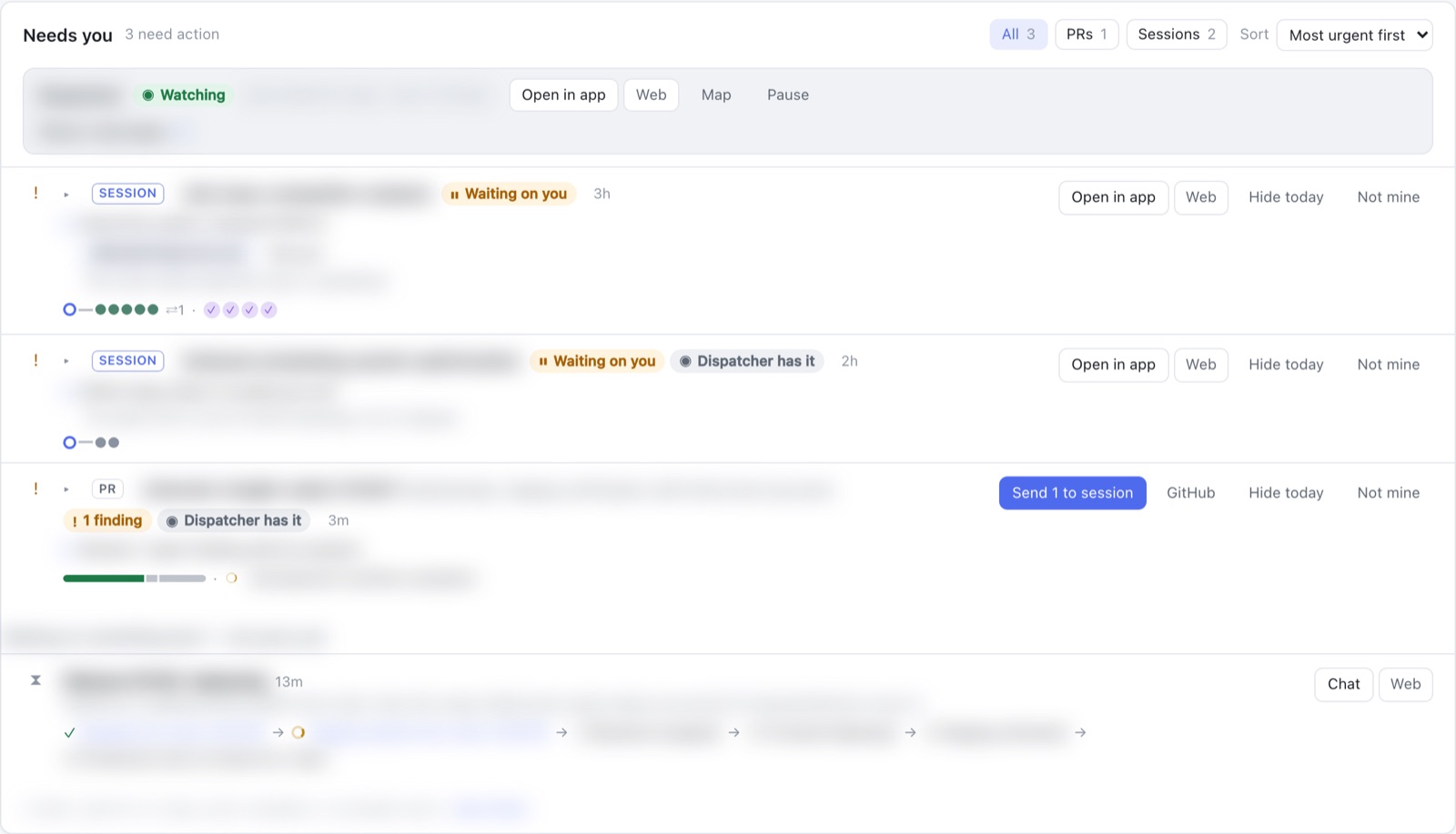
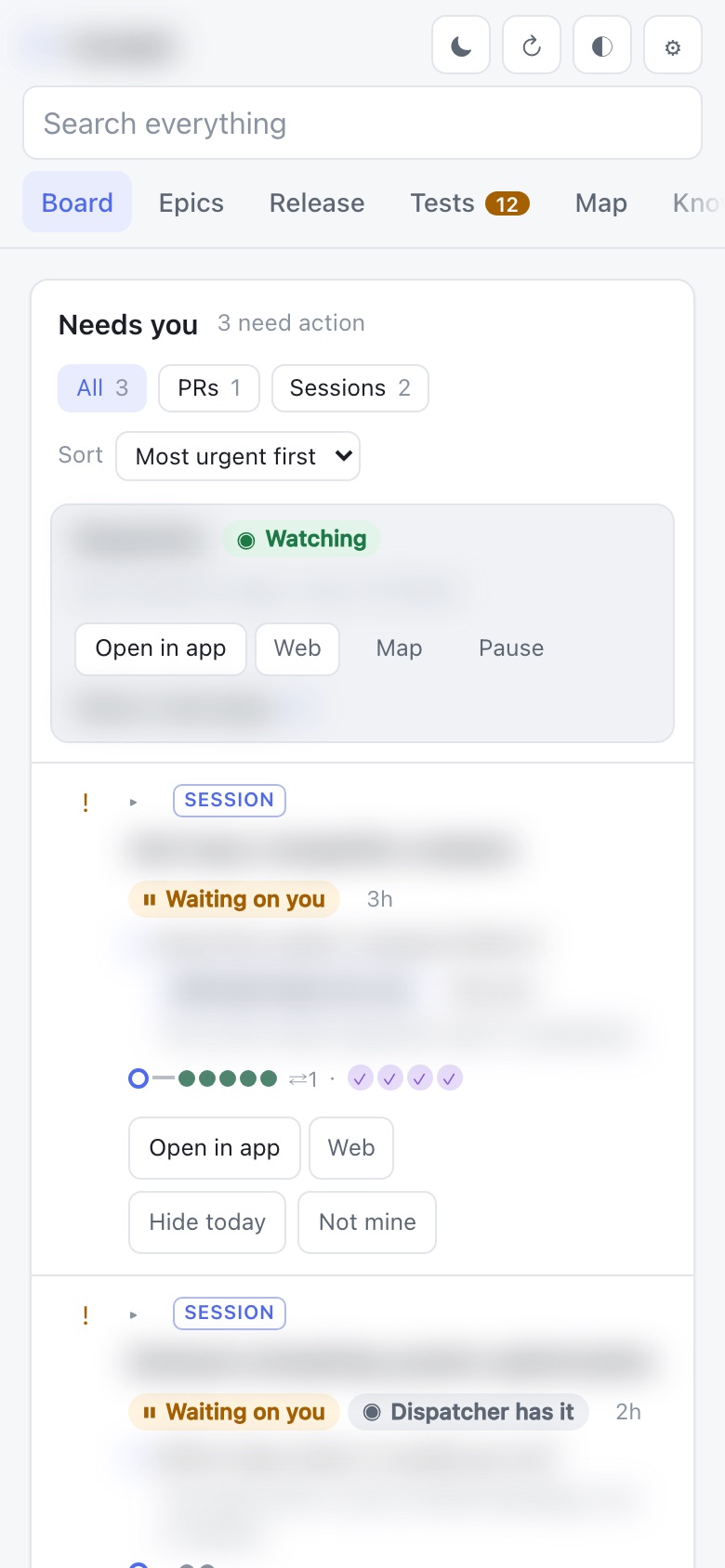
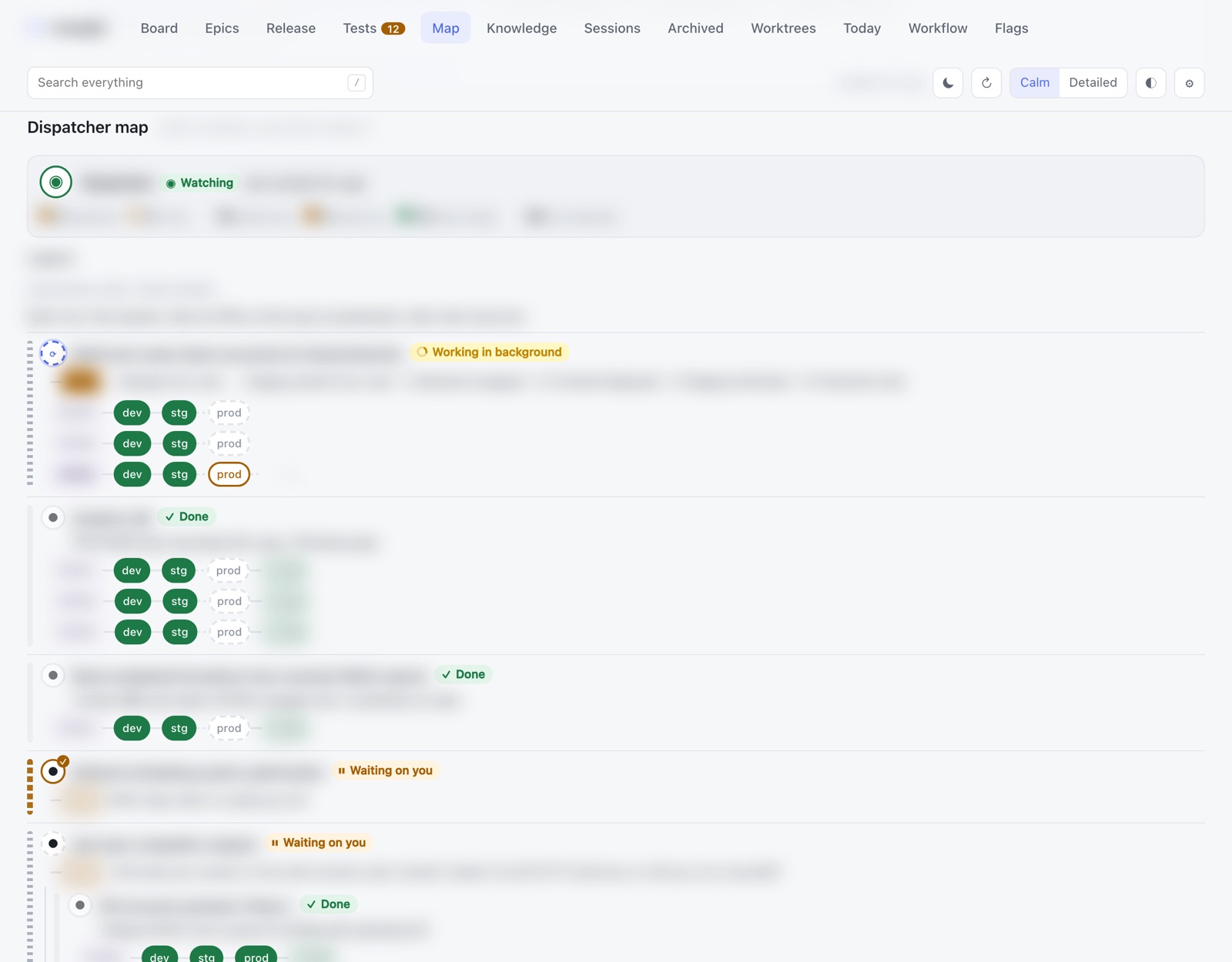
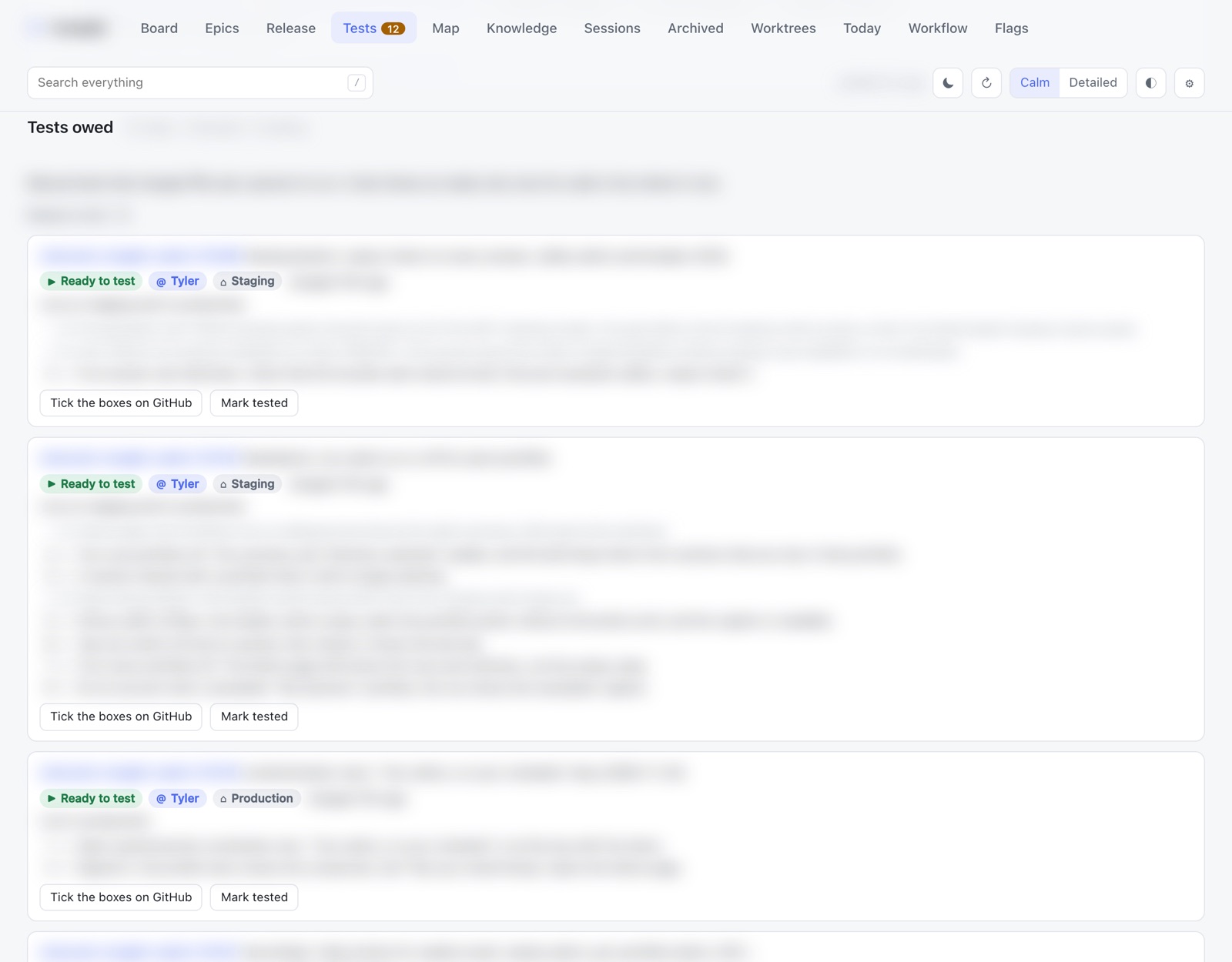
These are the real screens, captured this week. Session names, titles and anything private are blurred.
Needs you
An inbox with one row per thing that's actually waiting on me. Each row says what's wanted: the real question, the choices, the agent's recommendation and one line of context. It checks whether an ask has gone stale before showing it, and knows when a session is really waiting on a helper it started, not on me.
The map
Every piece of work as a chain: the session, its pull requests, where the code is (dev, staging, production), then the manual test and who has to do it. Sessions that other sessions started sit underneath them. A stripe shows which rows the Dispatcher is watching.
Tests owed
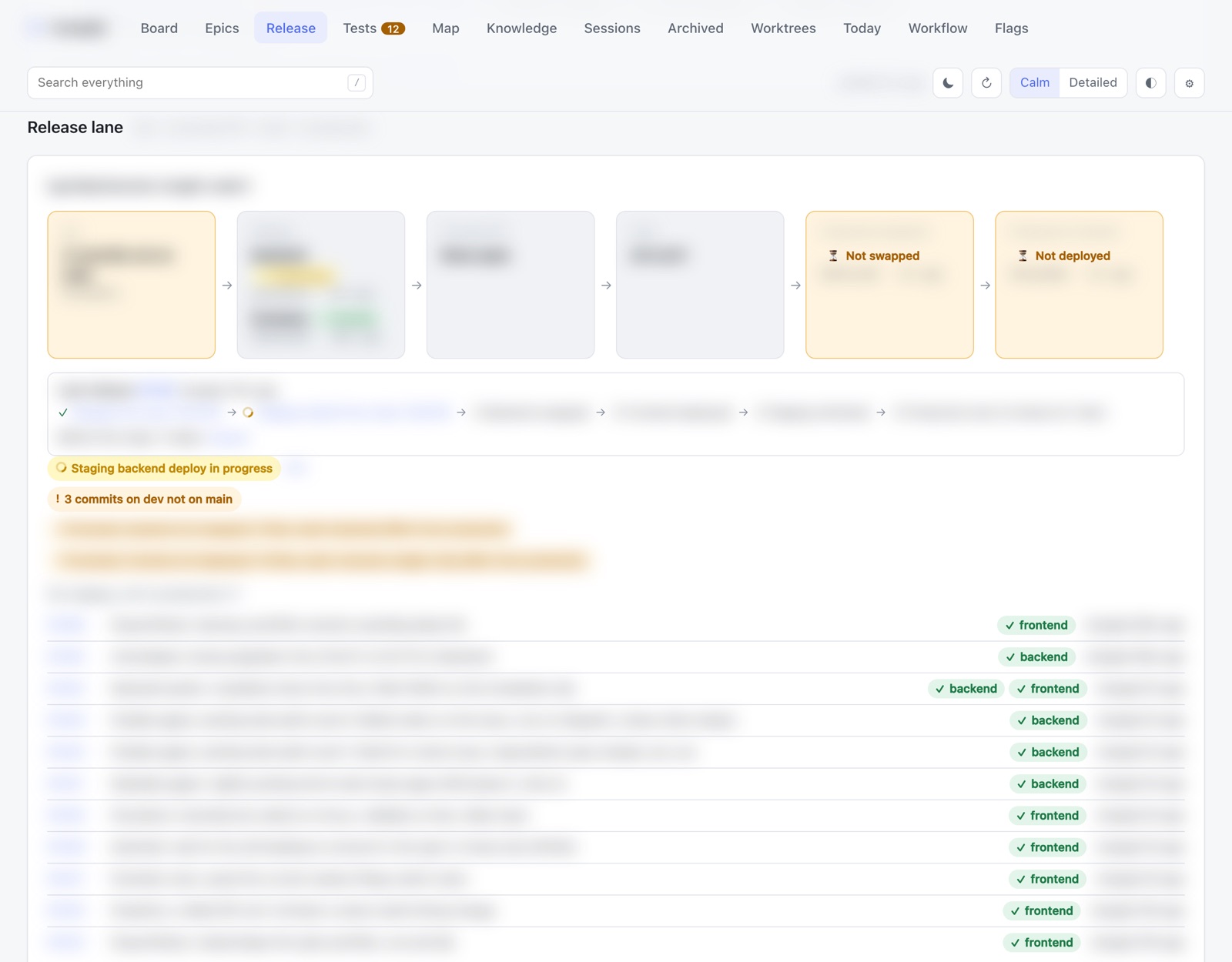
When a pull request needs a person to check something, the agent writes the steps as checkboxes in the PR. The cockpit lists the test only once that code is live where the test runs, and warns when staging has fallen behind production. Ticking the boxes on GitHub, even from my phone, clears it.
Is it working?
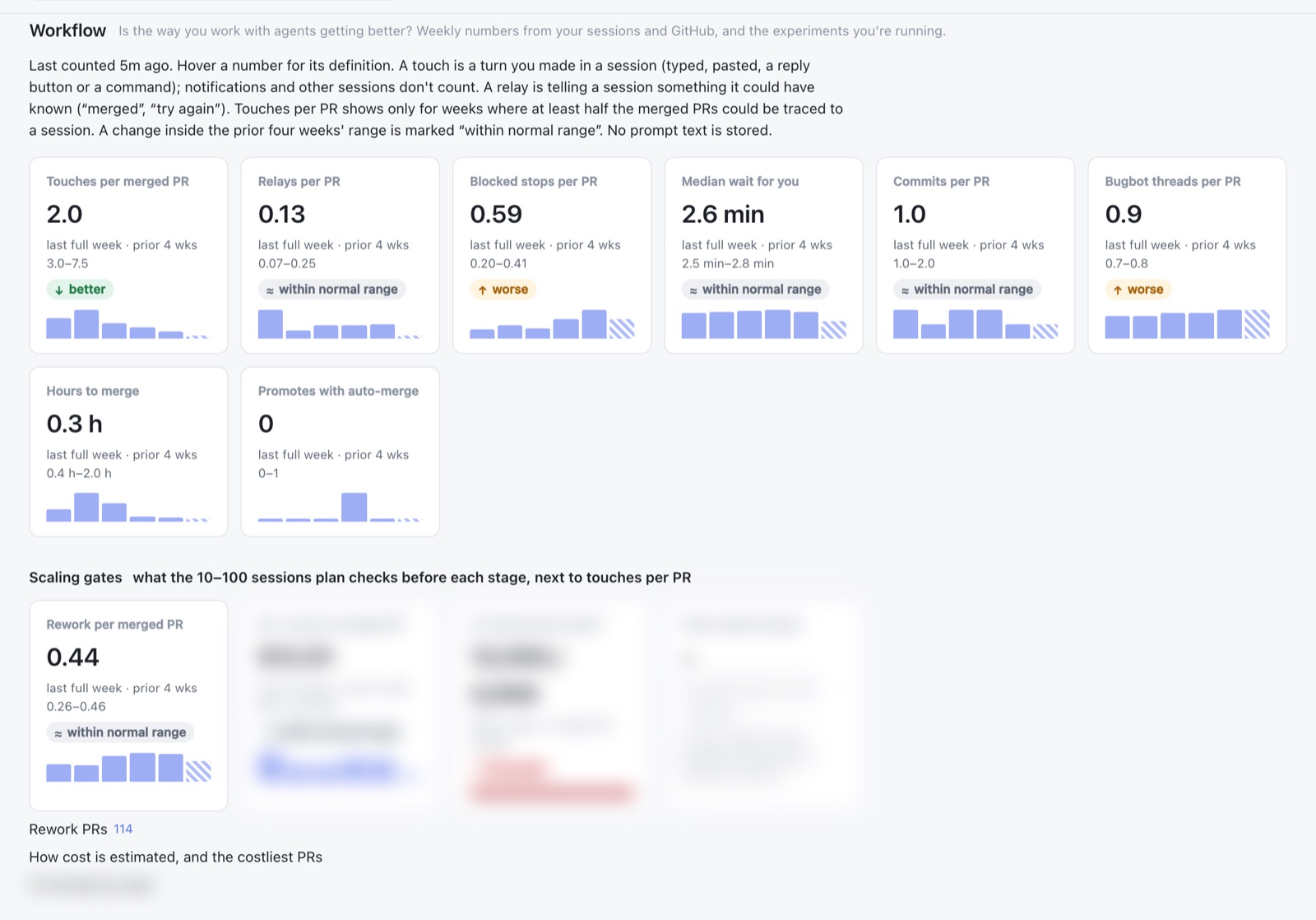
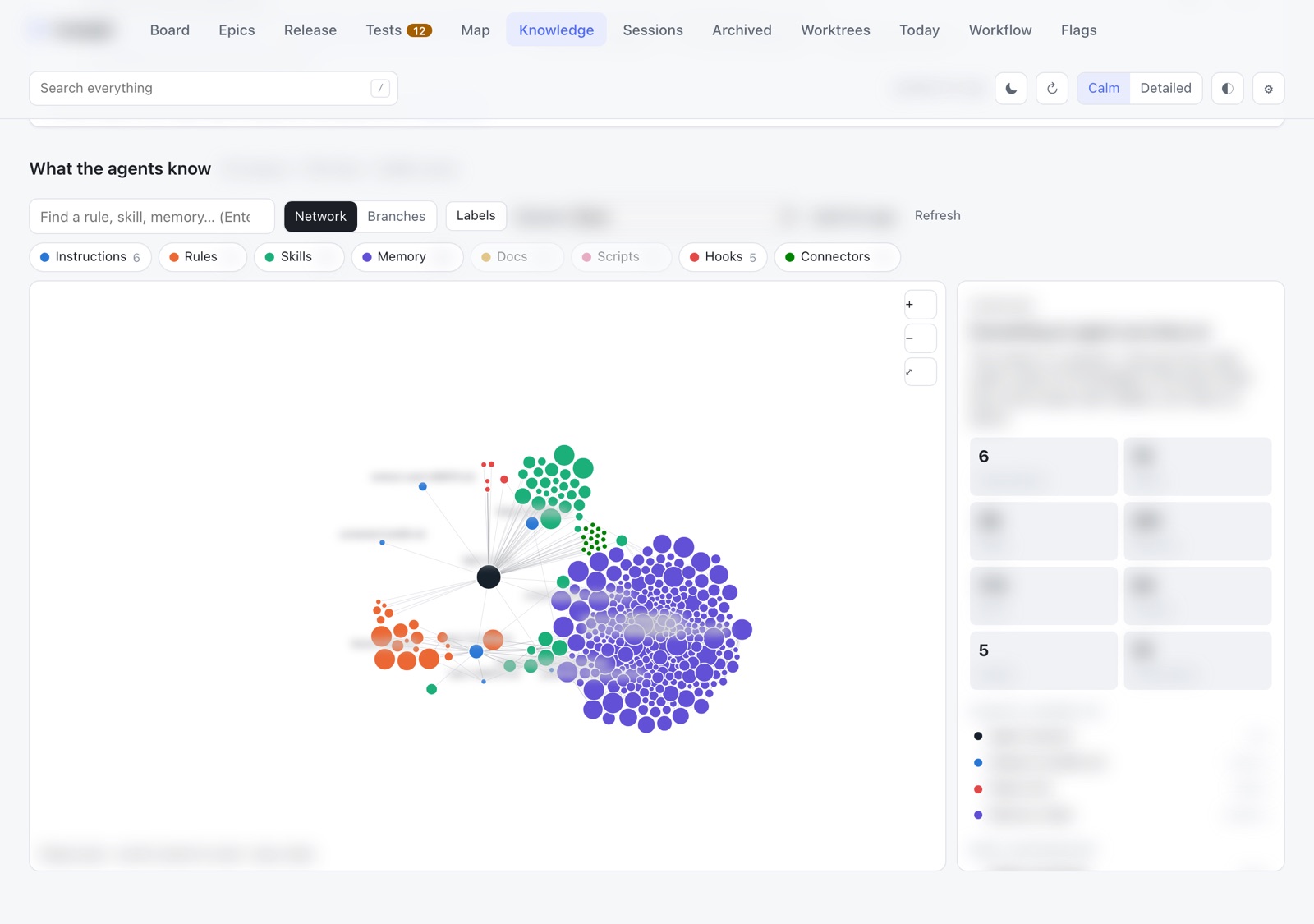
A workflow page counts how often I step in per merged pull request, how long merges take, and how often work needs a follow-up fix. These are the gates for the next step: going from about 15 sessions to 50 or 100 without my attention becoming the limit. A separate map shows every instruction, skill and note the agents load, so I can see what shapes their behaviour.
The rules that make it trustworthy
Built to be trusted with a phone in one hand
Only “ready now” is a to-do
“I never want you to be wrong and suggest I do something that is based on old or outdated information.” A merge shows as mine only when it's verified at the moment I look. Everything else sits under Waiting, with its owner.
Read first
It reads sessions, GitHub and deploys. Every action is one click, logged and confirmed.
Production is mine
Nothing merges into production or deploys there without me, and a hook blocks auto-merge into the main branch.
Claims, not orders
Review-bot findings go to a session as claims to verify, so agents don't just agree with each other.
The Dispatcher routes, it doesn't decide
It carries my exact words, links the chat, and never answers a question on my behalf.
Phone-first, checked
An automated check loads every view at iPhone widths, in light and dark, and fails on anything wider than the screen. It's part of finishing any change.
What changed this week
From “waiting for you there” to the actual question
A week of using it from my phone turned into a list of fixes:
- Every row says what's wanted. “Waiting for you there” became the real question, the choices, the agent's recommendation and one line of context.
- Merges are verified when I look. Checks, the review bot on the latest commit, open threads and whether it can merge are all checked at that moment, not when the agent last said “ready”.
- It follows a release. It shows what each release contains, what's queued for the next one, and each step after a merge with times: staging rebuilt, backend swapped, frontend deployed, production test.
- Fewer false alarms. Old asks fold away after three quiet days or a passed deadline. “Not mine” syncs between phone, Mac and the Dispatcher. Whether staging is behind production is judged by file content, not commit ids. A used-up CI budget shows as one row instead of a red failure on every pull request.
How it was made
A week of evenings, with the same agents it watches
I built it with Claude Code over about a week of evenings in November 2026, in plain JavaScript with no third-party libraries: a server, one page, and 103 automated tests. It's a personal tool for now and isn't open source.